Eloqua Speech Player
Listen to great speeches on your smartphone. Porting in progress from PWA to React Native App.


Eloqua Speech Player
Technical Highlights
- Porting in progress to React Native + Typescript w/ PostgresSQL + GraphQL on Hasura Cloud
- Multilayered many-to-many relationship data stored on Firebase Firestore for real-time content updates
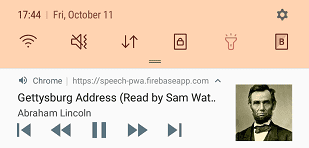
- Full player control from notification with Media Session API
- State management with React Hooks and Context API (replacing Redux)
- Speeches filterable by speaker, theme, or just a custom keyword
- Common features like playlist, favorites list, loop toggle, playback speed switch, dark mode
Technologies Used




Table of Contents
- Introduction
- Speeches View
- Playing Bar
- Script View
- Playlist View
- Favorites View
- Notification Controls
- Dark Mode
- Acknowledgment
Introduction
The Eloqua app offers, in both audio and text, great speeches in history from 30+ public figures, including politicians, entrepreneurs, authors, celebrities, etc., covering a wide range of themes.
Speeches View
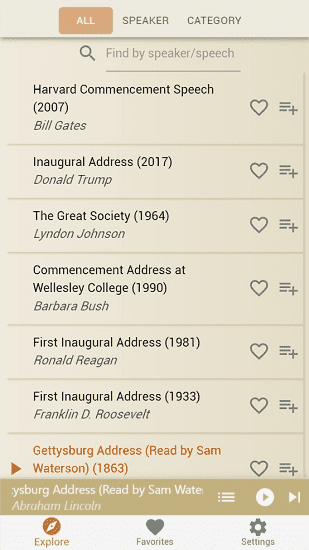
Find a speech by its speaker, theme or do a keyword search, click on title to play it or add it to playlist queue or favorites list.
Playing Bar
Skip Next, Pause/Resume, Go to Playlist, or View Speech Script from the Playing Bar which is present most of the times.

Script View
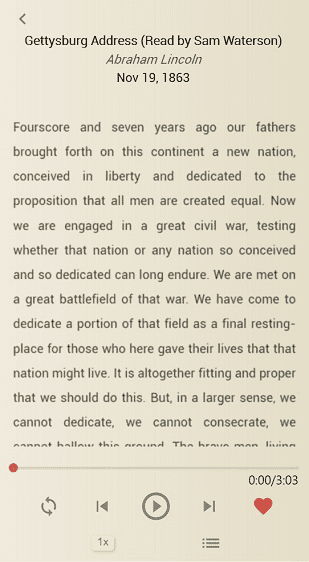
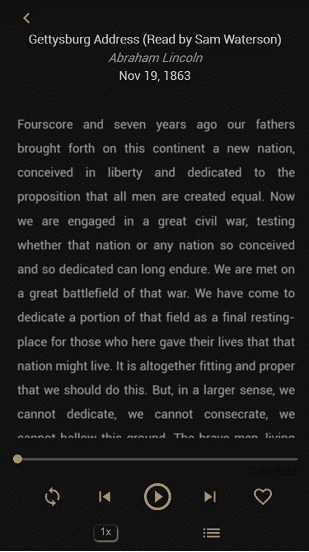
Click the title area of the playing bar to view the script text of currently playing speech. Extended control features like loop toggle and playback speed switch are also in this view.
Playlist View
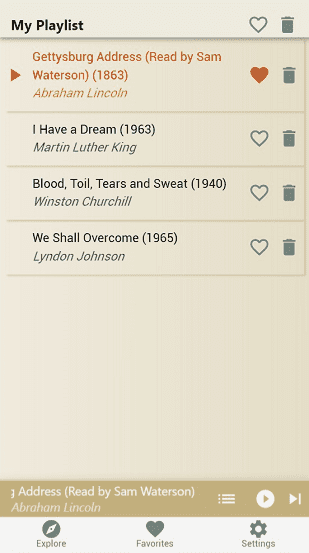
Showing the queued speeches to be played. You can remove any/all speech(es) from the playlist or add one/all to the favorites list.
Favorites View
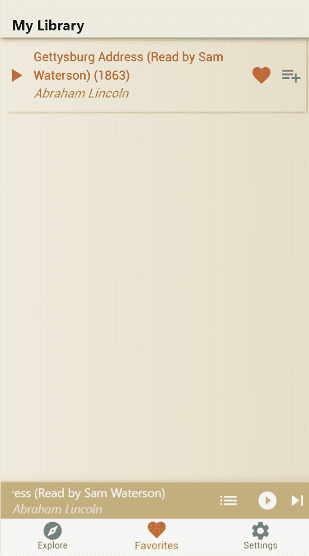
List of your favorite speeches list for easier access.
Notification Controls
View, play/resume, rewind/fast forward, go to previous/next from the notification bar or even lockscreen of your smartphone with Eloqua running in background.
Dark Mode
Don’t forget to take better care of your eyes. Toggle dark mode in the Settings View for the optimal bedtime reading experience.
Acknowledgment
Eloqua is a collaborative effort between myself, as creator-director-senior developer, and my protégée, as junior developer Layla.
Third-party projects that helped
Testimonial
Sean introduced me to the wonderful world of coding and provided constant support in the building of Eloqua, a speech listening PWA of our joint effort. Sean's mentoring and assistance were instrumental in my landing my first developer job in Germany.
